Referrals — earn credit for recommending PinotQR
Share your referral code and earn account credit when new subscribers use it.
If you’re on a paid plan, you can recommend PinotQR to other winemakers and earn account credit when they subscribe.
Note: Referrals is a paid feature — you need an active paid subscription to get a referral code.
How it works
- Share your referral code with another winemaker.
- They enter it as a promo code at checkout when they subscribe to PinotQR for the first time. It gives them 20% off their first invoice. It only applies to first-time subscribers — it can’t be combined with an existing subscription.
- Once they’ve stayed subscribed for 60 days, you receive account credit equal to 20% of their first invoice. This is applied automatically to your next invoice.
Account credit can’t be withdrawn or converted to cash — it can only be used towards future invoices.
Getting your referral code
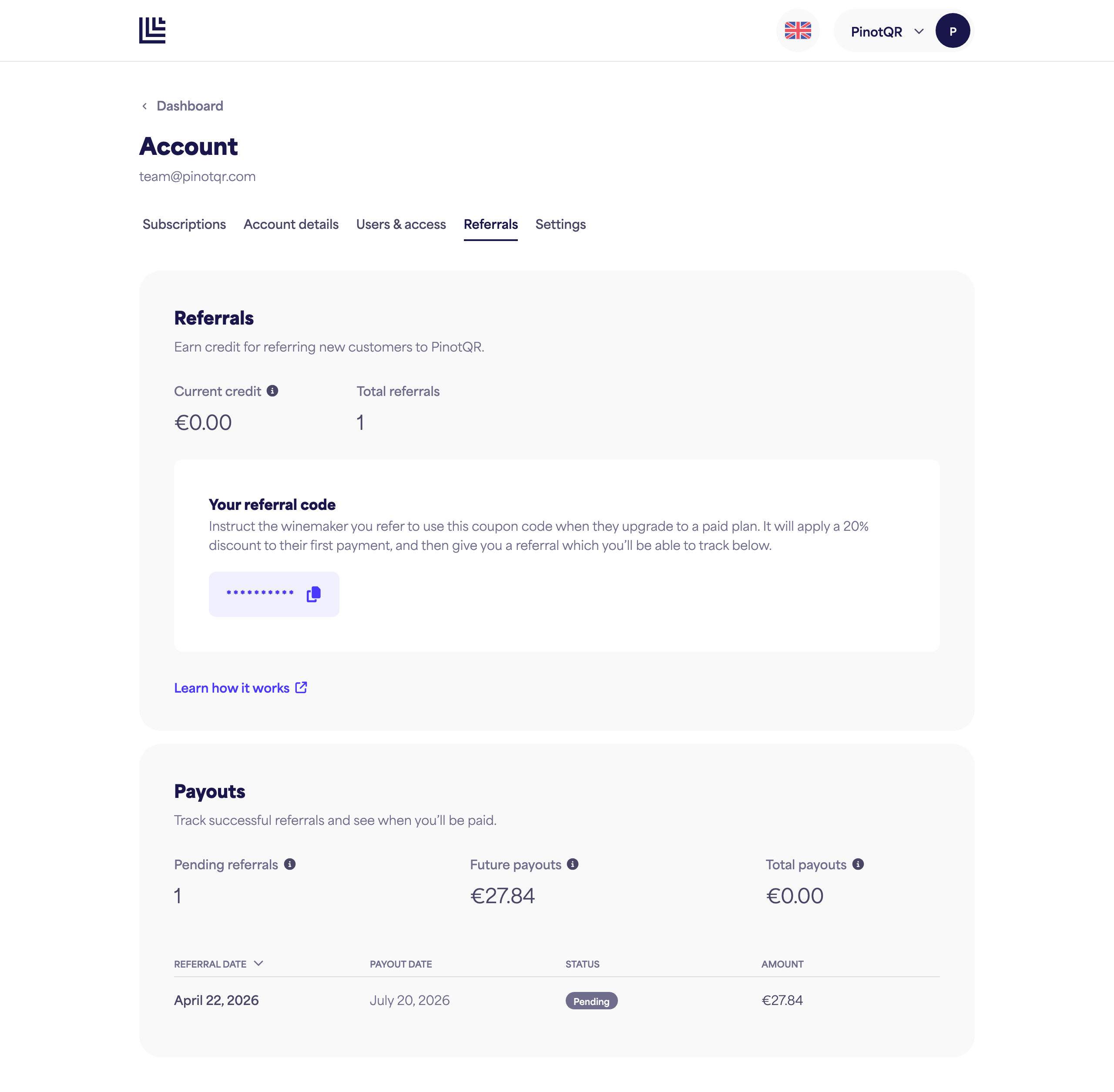
Go to Referrals in your account menu. Your unique code is generated automatically the first time you visit the page. Click the copy icon next to the code to copy it.
Tracking your referrals
The Referrals page shows:
- Current credit — account credit you’ve earned that hasn’t been applied to an invoice yet.
- Total referrals — how many people have used your code.
Below that, Payouts lists each referral with its date, expected or actual payout date, status, and reward amount. Click the Referral date column header to reverse the sort order.
Referral statuses
- Pending — the referred account is still within its 60-day qualifying period.
- Paid — the referred account stayed subscribed for 60 days, and the credit has been applied to your account.
- Cancelled — the referred account didn’t stay subscribed for the full 60 days, so no reward was paid.